Owners
See the day ahead. Review sessions, follow-ups and program-specific progression with the context to make a decision.
Explore the owner view → Explore the demo →
THE PRODUCT
Explore current app components and development evidence. Recreated screens use synthetic data; they do not establish general release availability.
INSIDE KIMURA
Mockups recreated from current app components, with a fictional academy and adult participants. Selected views, not live app screenshots.
The app’s three-step layout: choose a session, confirm the class, then work from its roster.
RECREATED APP VIEW · SYNTHETIC DATAOpen full-size check-in mockup ↗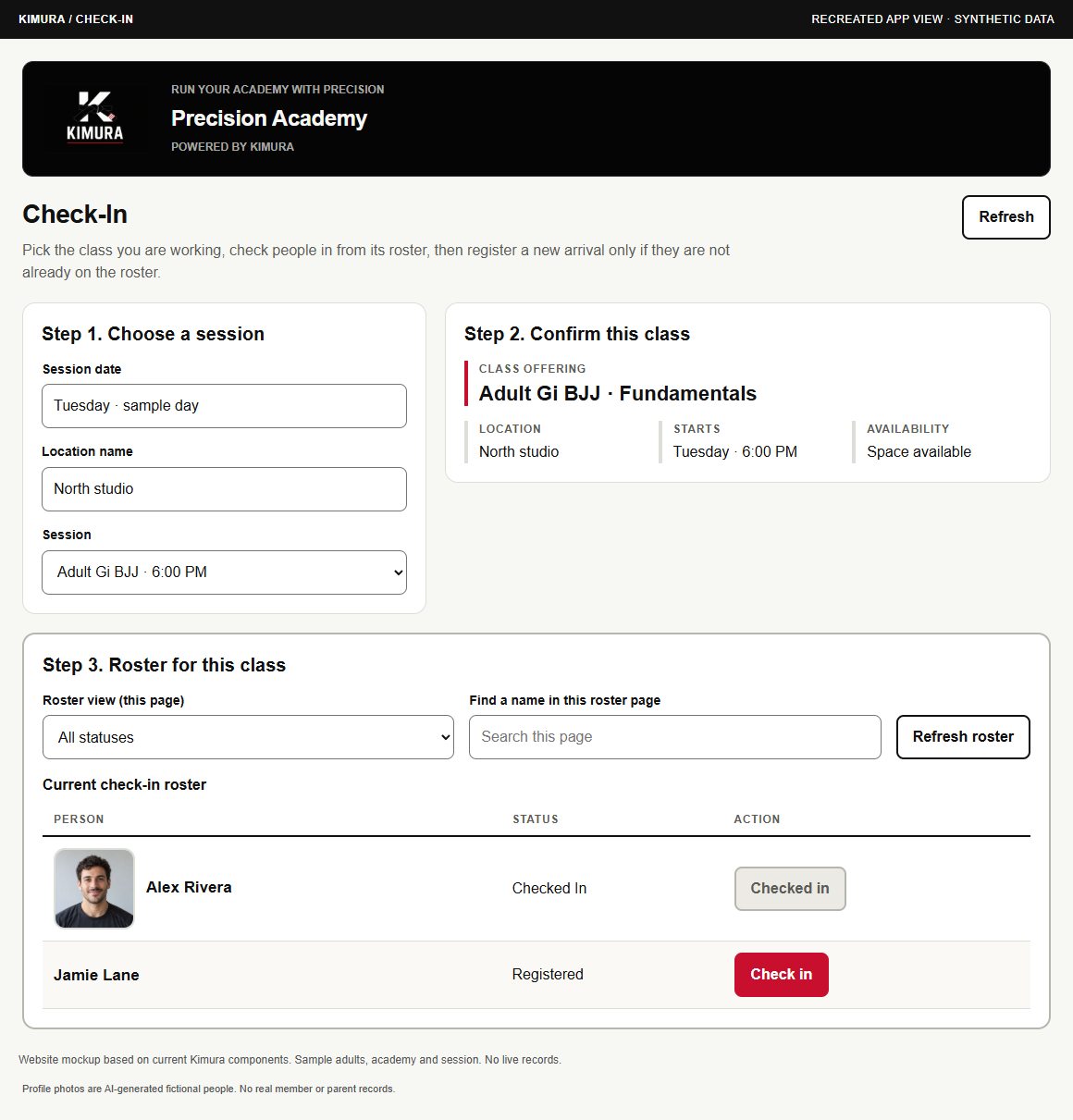
A completed-session example shows the roster, attended statuses and the attendance lock.
RECREATED APP VIEW · SYNTHETIC DATAOpen full-size attendance mockup ↗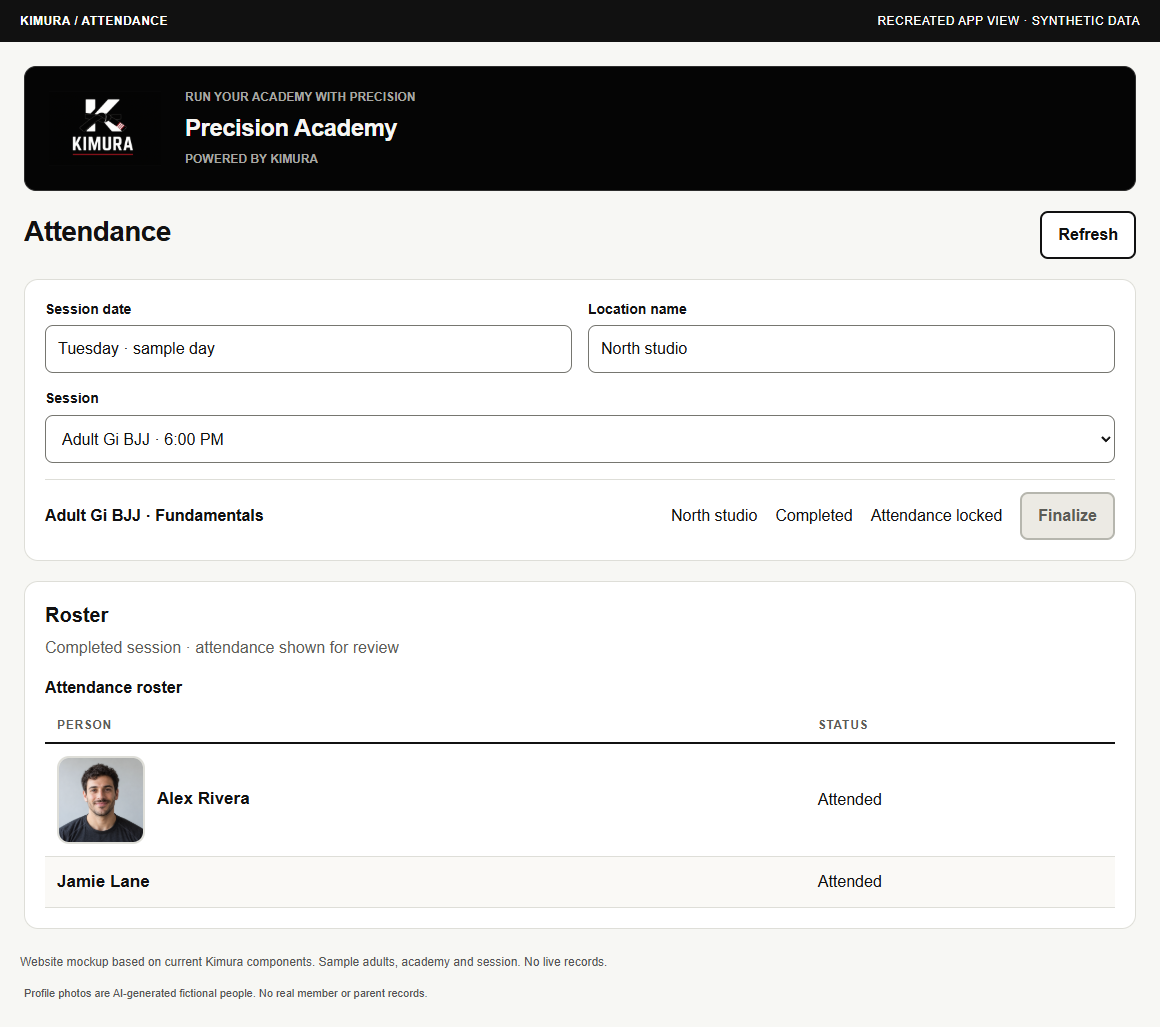
The existing planning workspace brings session lookup, lesson readiness and instructor assignment together.
RECREATED APP VIEW · SYNTHETIC DATAOpen full-size session planning mockup ↗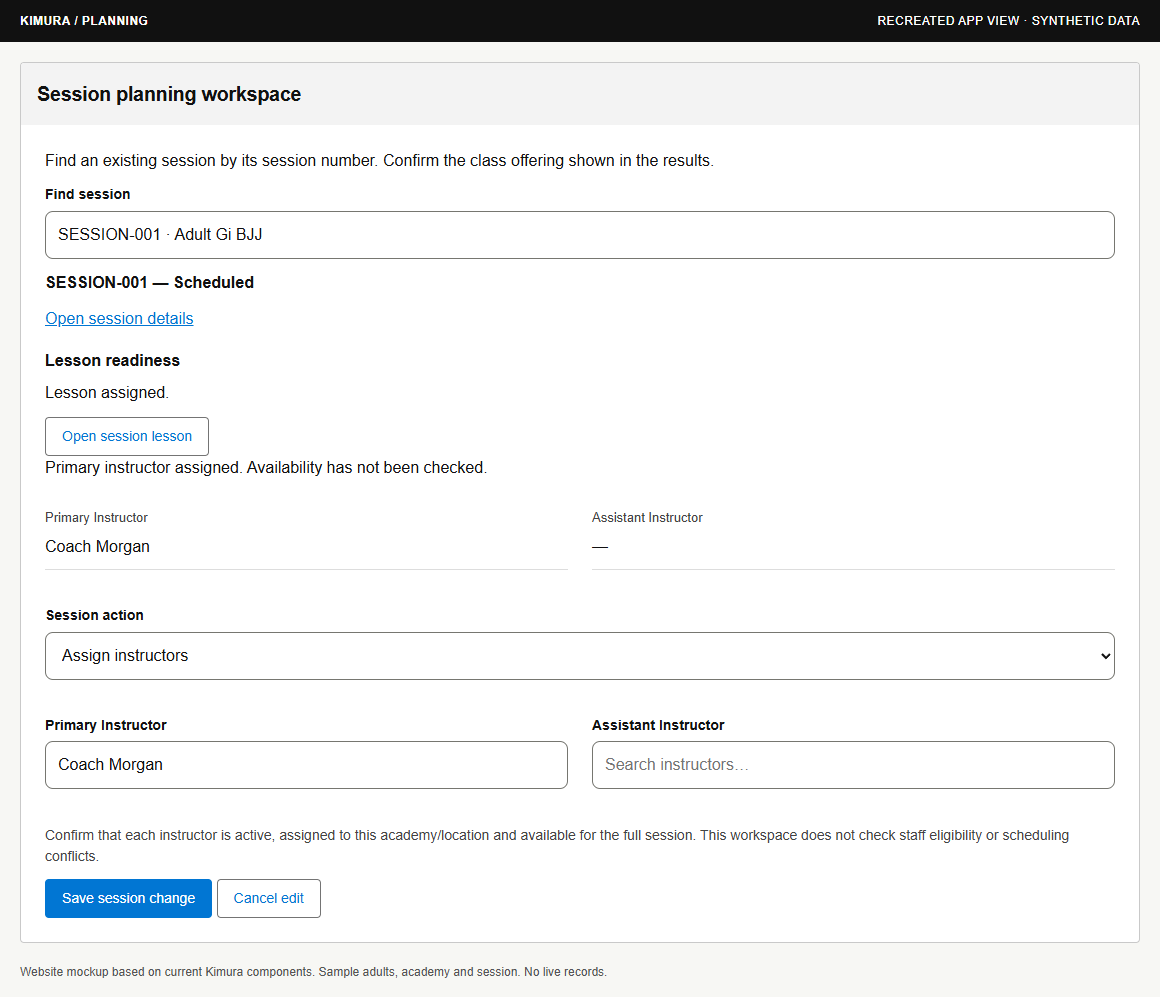
These views show existing component designs; they do not establish release status or access for every academy. Training videos, payment processing, member access and merchandise remain separately labeled in the roadmap →
Try the synthetic academy day →02 / YOUR TEAM, IN SYNC
See the day ahead. Review sessions, follow-ups and program-specific progression with the context to make a decision.
Explore the owner view →Move from inquiry to trial, welcome arrivals and keep attendance organized with clear next actions.
Explore the front-desk view →Know what you’re teaching. Open a linked lesson and keep preparation close to the session.
Explore the coach view →A planned academy experience for training and family context. Public member/parent login and self-service are not released.
Explore the portal concept →PLANNED Member and parent experiences are part of the roadmap. Public self-service portals are not presented as released.
04 / TEACH WITH INTENT
Ranks belong to a program. Attendance adds context; an authorized owner makes the promotion decision.
Adult Gi BJJ uses four earned stripes per colored belt level. Kids Gi BJJ / Mat Maniacs uses four earned stripes per belt level under academy policy. Muay Thai uses colored sashes without stripes.
Belt color bands are separate from earned stripes. Stripe meanings for Junior Jabbers/MMA and Tikes MMA are not fully supplied. IBJJF guidance is a reference for Gi BJJ, not a universal policy for every program.
ALEX RIVERS / FICTIONAL ADULT
Independent ranks. One shared person.
Add a teaching resource → describe it → associate programs and ranks → use it in a lesson.
This is the intended workflow. Video hosting, uploads, recording, AI video creation and media consent workflows are not represented as released.Explore the resource-library concept →03 / PURPOSEFUL TOOLS
Kimura is in active development. Explore its current workflows, demonstrations and plans.
| Area | Current position | What this means |
|---|---|---|
| Daily operations | Working development foundation | Academies, people, memberships, inquiry/trial workflows, planning, check-in and attendance. |
| Linked lessons | Deployed development capability | Expand teaching-resource organization around the session. |
| Program progression | Working development workflows | Continue the owner review experience; ranks stay separate by program. |
| Certificates | Preview only | Approved synthetic promotion preview. Certificate issuance, PDF generation and delivery remain unfinished. |
| Training videos | Resource concept / planned media | Program-aware teaching library. Playback, hosting, uploads and recording remain planned. |
| Member & parent access | Internal staff preview | Public login and self-service remain planned. |
| Payments & merchandise | Design / future scope | Payment-provider and billing decisions; retail scope still to define. |
These workflows and previews are in development. This does not establish a general production release. Every interaction on this website is a synthetic demonstration.