
MARTIAL ARTS ACADEMY MANAGEMENT
Keep the next trial conversation connected.
Explore a fictional inquiry-to-class handoff, with clear follow-up context for academy owners and front-desk employees.
Try the synthetic workflow →Built on Salesforce · In active development
TRIAL INQUIRIES & FOLLOW-UPS
A trial visit involves more than a name on a list.
Owners and front-desk employees need context for the next conversation: the inquiry, intended program and planned first visit. Kimura’s synthetic academy day follows fictional adult Jamie Lane through a trial handoff so you can evaluate that connected workflow.
- 01
Review the inquiry
Understand the fictional participant’s intended program and the next conversation to have.
- 02
Prepare the first visit
Explore the trial step in the interactive academy day and its session context. No booking or message is sent.
- 03
Keep the follow-up visible
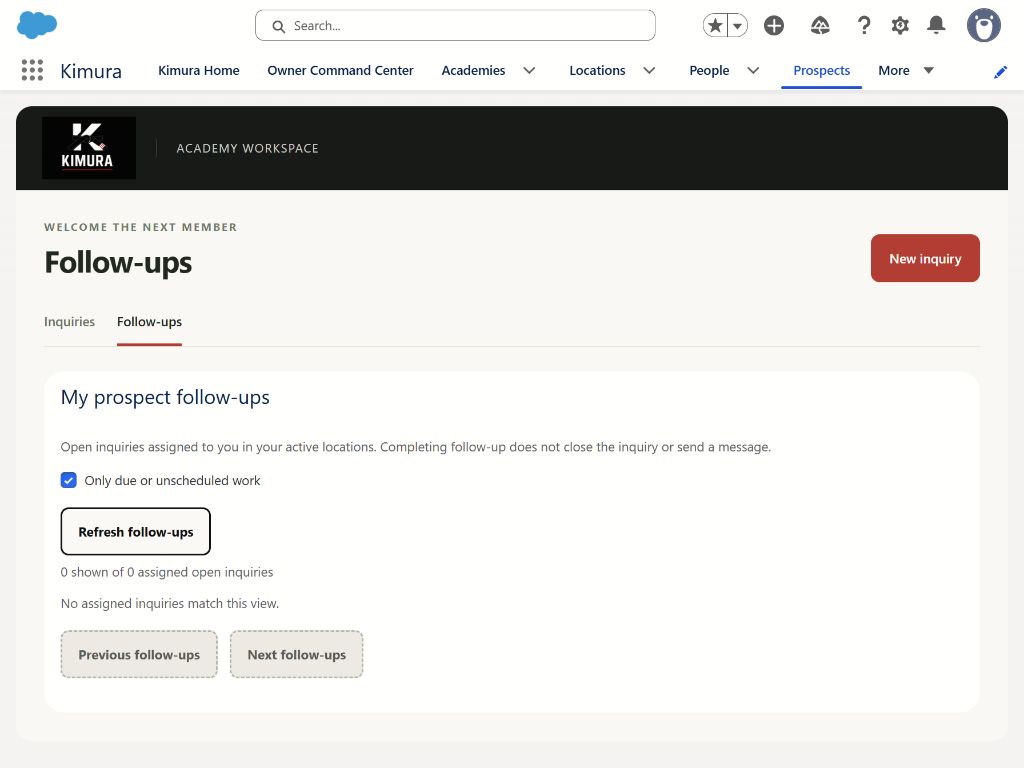
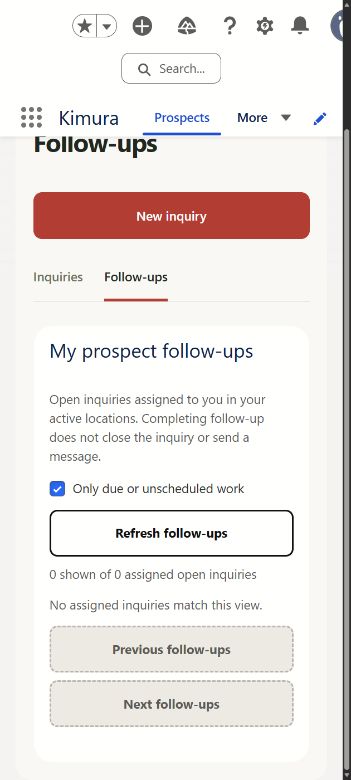
Review the owner’s follow-up example, then compare it with the verified actual-app Follow-ups capture. The actual capture shows an empty development state, not populated trial records.
WHAT YOU ARE SEEING
Clear evidence. Clear boundaries.
Inquiry and trial workflows are in active development. The interactive handoff uses recreated views and synthetic data. Only the separately labeled empty Follow-ups development captures are verified actual-app images.
Read the product evaluation brief →Review planned concepts →KEEP THE FULL CONTEXT
Inspect the complete screen.
ACTUAL DEVELOPMENT CAPTURE · EMPTY FOLLOW-UPS STATE. Images are static evidence, not live app controls. Actual Follow-ups captures show an empty development state; other views are recreated.
Questions academy teams ask.
Does the public trial demo send a message or book a class?
No. Demo changes stay local. It does not send email, create academy records or connect to a live booking service.
Can I see what the actual app looks like?
Yes. The demo image viewer includes separately labeled actual Follow-ups tablet and phone captures of an empty development state. Populated website examples are recreations.
What should I bring to a walkthrough?
Bring your current inquiry process, trial-class handoff and the follow-up problem you want to improve. Licensing, setup, migration and pilot scope need an individual discussion.
EXPLORE A DAILY WORKFLOW
Start with the work that matters.
Complete mockups and synthetic examples. Planned capabilities remain labeled separately.
YOUR ACADEMY’S WORKFLOW
See how this could fit your team.
Walkthrough and pilot inquiries are welcome. Pricing, Salesforce licensing, implementation and availability require an individual discussion.
Request a trial inquiries & follow-ups walkthrough →Opens your email app with an editable draft. Nothing is sent automatically.
WATCH A WORKFLOW
See the day in motion.
Actual empty-state captures, recreated views and planned concepts are labeled in each film.